
Impactor Unroot3.0 - Get APK
You'll be able to download in few seconds.
Publisher Description
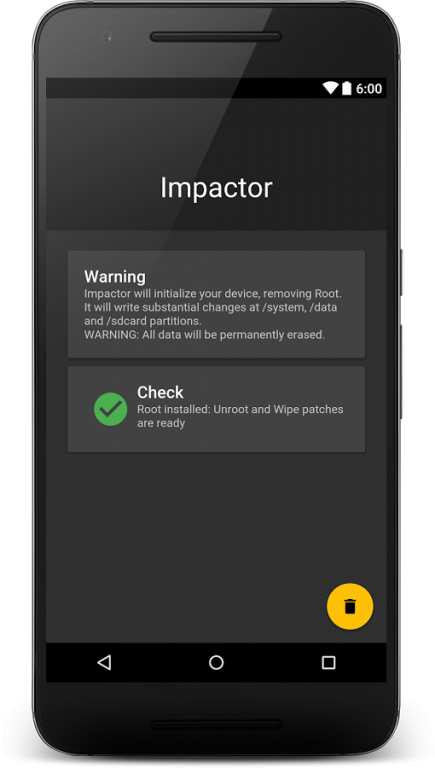
Impactor Unroot is a free tool developed in Italy by Andrea Cioccarelli. This high efficiency-toolkit allows to perform a complete system unroot, (So the permanent elimination of the root permissions), formatting (Permanently erase all data), backup / restore mapped system partitions (The possibility of having a directory to store critical system-wide data) and the elimination of management App Super-User (This means a correct uninstall and / or installation).
The peculiarity of the Unroot procedure is the thorough cleaning that is performed, because the whole system is completely reset and initialized: Impactor will remove root permissions, BusyBox, the UNIX command-line tools (/system/xbin and /system/bin), configured ssh credentials and applications for management of the Root, as if you had never removed the device from the packing box.
This software aims to be different from all the others on the market, want to stand out from the crowd of App of poor quality, with restricted functions, and a fee present on the Store. Impactor is the ultimate solution for people that are looking for high quality tools, with a simple and comprehensive interface, free of charge.
© 2016 Andrea Cioccarelli | IT
About Impactor Unroot
The company that develops Impactor Unroot is Andrea Cioccarelli. The latest version released by its developer is 3.0.
To install Impactor Unroot on your Android device, just click the green Continue To App button above to start the installation process. The app is listed on our website since 2016-09-27 and was downloaded 0 times. We have already checked if the download link is safe, however for your own protection we recommend that you scan the downloaded app with your antivirus. Your antivirus may detect the Impactor Unroot as malware as malware if the download link to xmashine.impactor is broken.
How to install Impactor Unroot on your Android device:
- Click on the Continue To App button on our website. This will redirect you to Google Play.
- Once the Impactor Unroot is shown in the Google Play listing of your Android device, you can start its download and installation. Tap on the Install button located below the search bar and to the right of the app icon.
- A pop-up window with the permissions required by Impactor Unroot will be shown. Click on Accept to continue the process.
- Impactor Unroot will be downloaded onto your device, displaying a progress. Once the download completes, the installation will start and you'll get a notification after the installation is finished.
Program Details
System requirements
Download information
Pricing
Version History
version 3.0
posted on 2016-09-27
Version 3.0,Fixed Common code execution issues,Fixed Some Impactor’s core mechanism bugs,Fixed Some memory-handling error,Fixed Drawer performances bug & Icons bug,Fixed Multi-Dialog bug,Really decreased Signed APK size,Redesigned General App & Drawer UI,Enanched AppBar Color & Accent Color,Really Improved Icon,Improved Mail report datas,Added Su Wrapper section,Added FastCards Root inspections,Added Material CardViews support,Added FloatingActionButtons support,Coordinated UI & UX
Disclaimer
External Download
We do not host Impactor Unroot on our servers. We did not scan it for viruses, adware, spyware or other type of malware. This app is hosted by Galad and passed their terms and conditions to be listed there. We recommend caution when installing it.
The APK Download link for Impactor Unroot is provided to you by apps112.com without any warranties, representations or guarantees of any kind, so access it at your own risk.
If you have questions regarding this particular app contact the publisher directly. For questions about the functionalities of apps112.com contact us.
